
One staff context
Keep workforce records connected to the school and centre where people actually work.
Connect staff records, workforce monitoring, clocking and payroll operations to the same school and centre structure used by the rest of BL TECHNO.
BL TECHNO Workforce is a focused product family inside the wider BL TECHNO platform. It leads with the work its audience needs, while preserving authorised connections to the rest of the school.
Keep workforce records connected to the school and centre where people actually work.
See clocking states and workforce activity without separating staff attendance from school operations.
Link staff/payee information into payroll workflows from the broader workforce environment.
Open any visual for a closer look. All public mockups use demo context and avoid production school, learner, finance or transport records.
Tap a stage to follow a realistic public-safe operating story for this product family.
Review staff profiles, roles, departments, centres and employment context.
Explore this workflow →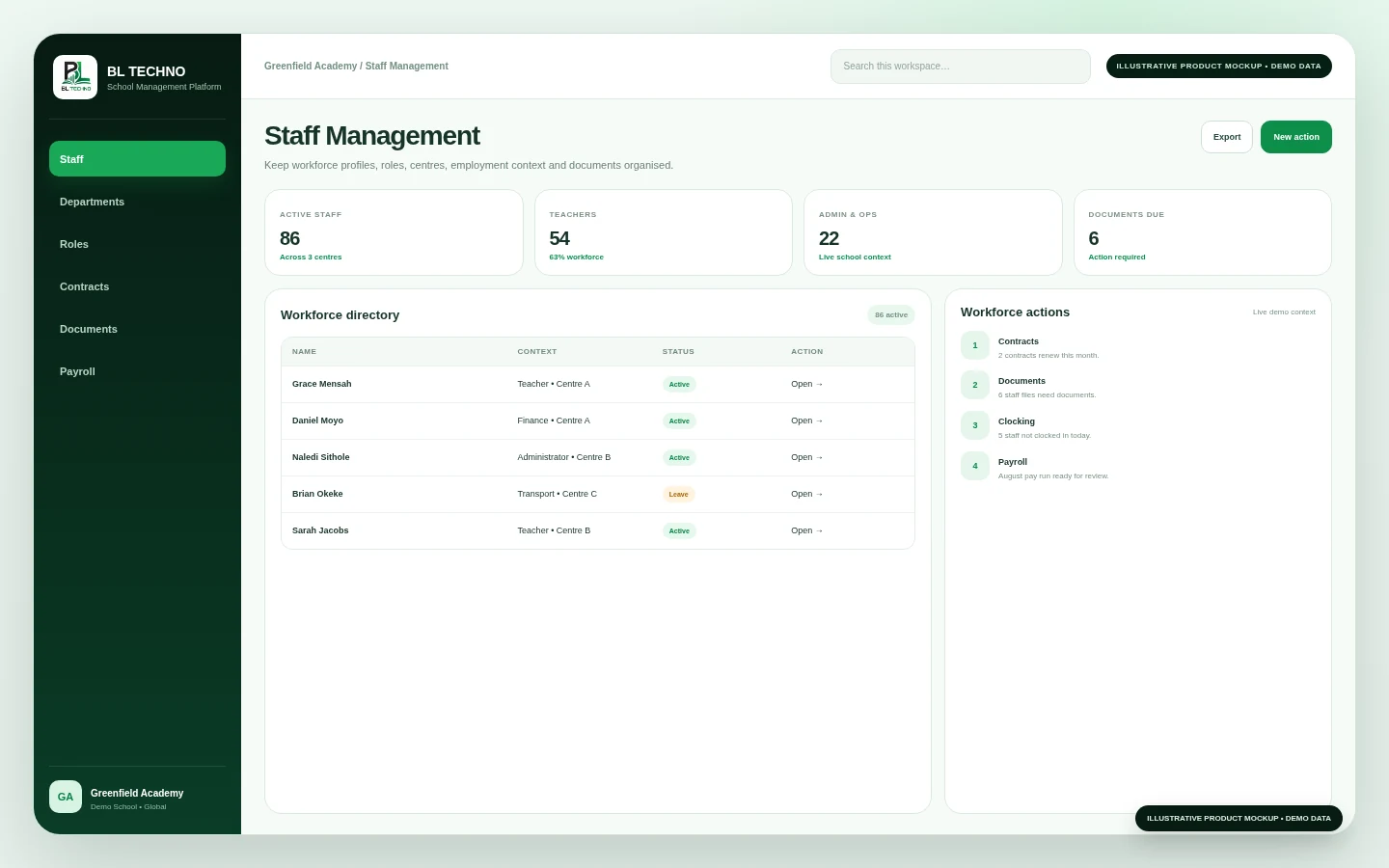 Staff Management
Check clocked-in, break, offsite and not-clocked workforce states.
Explore this workflow →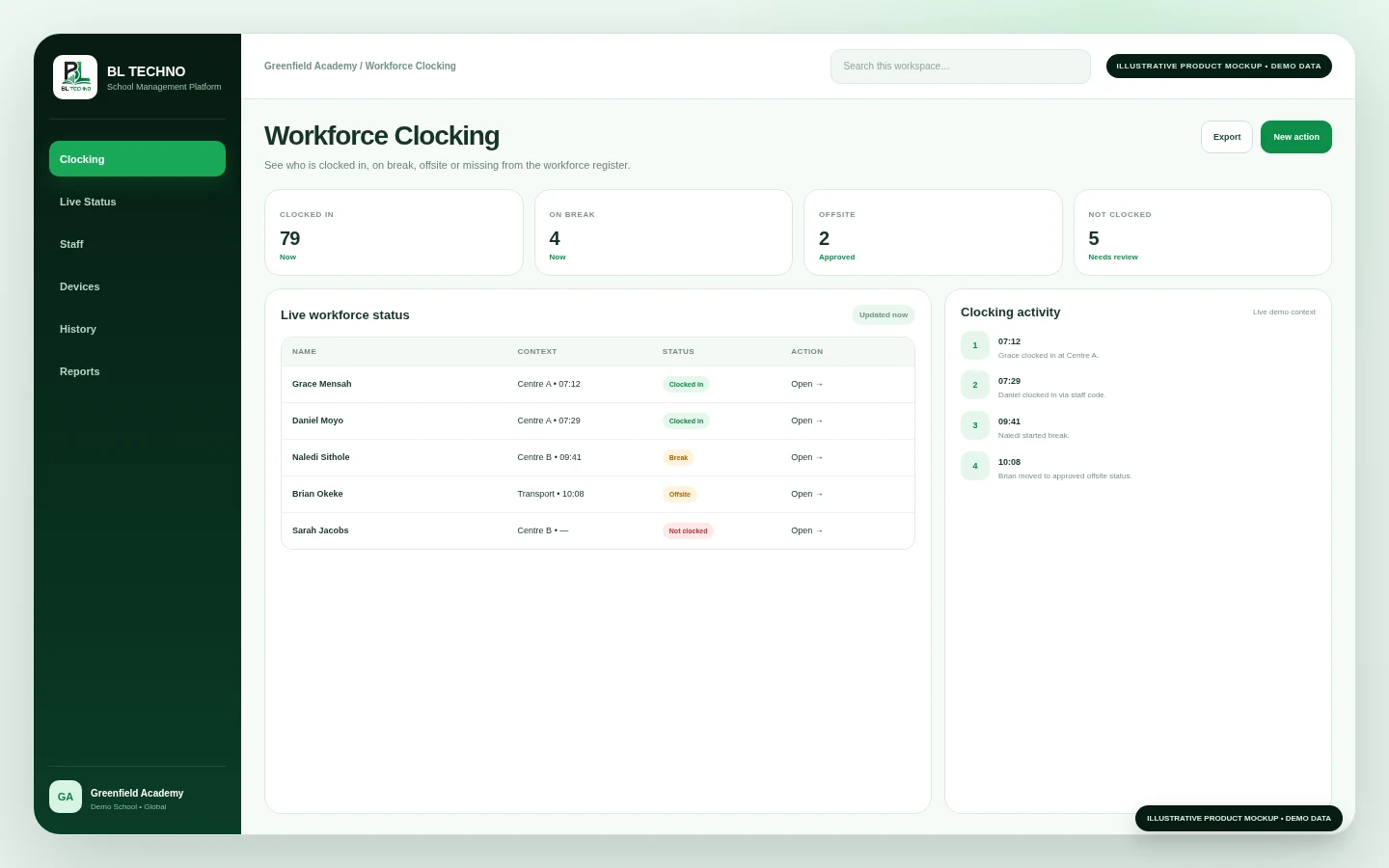 Workforce Clocking
Identify missing clocking, attendance or workforce records needing attention.
Explore this workflow →Workforce ClockingMove authorised workforce and pay context into the payroll process.
Explore this workflow →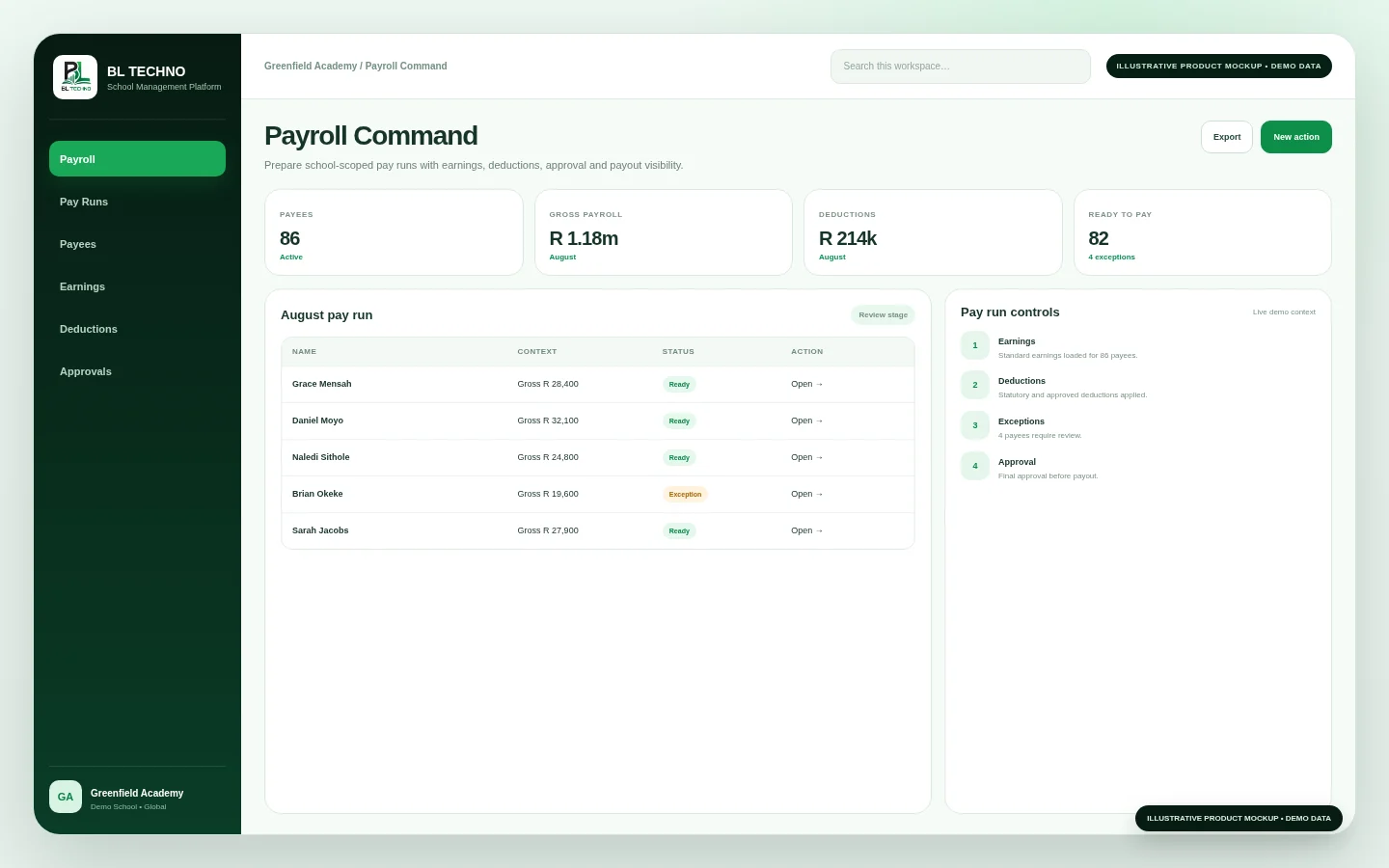 Payroll Command
Check payees, earnings, deductions, exceptions and approval state.
Explore this workflow →Payroll CommandThe product journey follows the way this part of the school operates instead of forcing users through unrelated modules.
Staff profile and school context
Role, centre and teaching context
Workforce attendance states
Payroll and payee operations
Documents, reports and monitoring
Each capability has a clear operational purpose and remains part of the wider school context.
Maintain school workforce profiles and organisational context.
Capture and review workforce attendance states.
Prepare and manage payroll records linked to registered staff/payees.
Keep workforce documentation connected to the staff record.
See workforce readiness and staff-system health.
Keep workforce activity aligned with centres, classes and school permissions.
These labels describe the kind of operating signals the workspace is built around. Exact live values come from the authorised school environment, not the public website.
Staff ManagementChoose an example role to see the product through the work that person is responsible for.
Maintain the workforce record.
Staff ManagementReview workforce status and readiness.
Workforce ClockingConnect payee information to payroll operations.
Payroll CommandImplementation is not only software setup. It connects school structure, authorised users, data, working processes and training.
Confirm departments, staff roles, centres and workforce responsibilities.
Create or import authorised staff records and employment context.
Configure the school’s staff attendance and clocking process.
Set up pay-cycle responsibilities, earnings, deductions and approval flow.
Train administrators and managers around workforce exceptions and evidence.
Use Staff, Clocking and Payroll as connected workforce operations.
Move into related BL TECHNO product families while preserving the wider school context.
BL TECHNO Workforce sits inside an authenticated school environment where role, scope and authorised actions matter.
Responsive behaviour should match the product audience instead of squeezing desktop UI into a phone.
These product-specific foundations explain why BL TECHNO Workforce belongs inside the connected BL TECHNO ecosystem.
Staff identity and employment context can support multiple authorised workflows.
Clocking turns workforce activity into school operations visibility.
Pay-run preparation can stay closer to workforce records and approvals.
Staff and managers can operate within authorised school or centre boundaries.
The public teaser introduces the operating story using privacy-safe campaign visuals. A live demo can then focus on the exact Workforce workflows relevant to the school.
The current product family connects staff management, staff clocking and payroll operations.
Staff records and operational views are designed around school and centre context.
No. Payroll rules, banking rails, taxes and employment requirements depend on jurisdiction and production configuration.
We can focus the demo on the roles, centres and operating priorities that matter to your institution.
See how students, attendance, assessments, billing, staff, payroll, access, communication, library and transport connect in one school system.
Learn what approved Agents represent, how the onboarding journey works, and where to register or sign in to the live Agent system.
BL TECHNO is one global website. We suggest your country automatically so pricing can be shown in the local currency, and you can override the suggestion at any time.